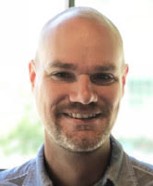
Samuel Freiberg
DevOps/Site Reliability Engineer
I like computers. A lot.
- Sam Freiberg
- San Francisco, CA
- [email protected]
- +1 816-226-6686
Employment
-
Apollo GraphQL May 2018 - Current
Site Reliability Engineer
-
Planet Apr. 2017 - May 2018
Sr. Mgr, Systems Administration
-
Google Aug. 2014 - Apr. 2017
DevOps Engineering Manager
- Directly manage a DevOps team of 5-7 people supporting Google's Satellite and ITAR teams
- Manage daily operation for the larger Technical Operations team of about 20 people.
- Design and oversee the implementation of the Google ITAR Data Center
- Reponsible for more than a 1,000 servers utilizing technologies such as VMware, NetApp, Ansible and Ubuntu.
- Write scripts and applications as required, primarily in Go (golang)
-
Skybox Imaging Sept. 2013 - Aug. 2014
Senior Site Reliability Engineer
- Manage a DevOps team supporting deployments, build systems and custom applications.
- Manage daily operations for the larger Technical Operations team of about 20 people managing VMware, NetApp, Ubuntu and Windows
- Manage more than 500 Ubuntu servers
- Write and implement server monitoring software in Go (golang)
-
Upthere Apr. 2013 - Aug. 2013
Senior Systems Engineer
- Implement monitoring for production servers with Zabbix and custom scripts
- Deploy web applications
- Manage Ubuntu servers
-
Vertical Response Oct. 2011 - Mar. 2013
Senior Systems Engineer
- Manage ~500 CentOS/RHEL servers.
- Configure and deploy Puppet infrastructure for QA environment.
- Write application in Go (golang) for testing email infrastructure.
- Manage three Message Systems (ecelerity) clusters.
- Manage F5 BigIP load balancers.
- Write Ruby/Bash scripts as needed.
-
netSerious Jan. 2010 - Aug. 2014
Owner/Developer
- Build and manage Ruby on Rails applications with MySQL and Postgres backends.
- Setup and configure Mercurial infrastructure for QLogic.
- Launched several online services with e-commerce components.
-
NIC Inc. Feb. 2011 - Oct. 2011
Systems Administrator
- Manage ~1000 servers that were responsible for processing more than $10 billion dollars for federal, state, city and county government.
- Manage web/application servers (Apache/Tomcat) running Perl, PHP, Java and Ruby on Rails applications
- Manage database servers (MySQL/Oracle)
- Augment existing monitor solutions with Nagios/Icinga
-
Barkley Sep. 2005 - Jul. 2010
Senior Systems Engineer
- Converted Interactive department version control from CVS to Subversion.
- Converted All Linux boxes to Solaris 10 and implemented Zones for easier management and consolidation.
- Created the first Ruby on Rails application at Barkley to demo the technology. Also, built out the production Ruby on Rails environment using Litespeed and Solaris 10.
- Transitioned all physical servers to virtual servers hosted on VMware ESX 3.
-
look and feel new media Mar. 2001 - Sep. 2005
Senior Systems Engineer
- Wrote two popular security programs. Snort Alert Monitor (SAM) and SAM Jr were written to help find people and computers that are attacking your network. SAM has been downloaded nearly 18,000 times and been mentioned in three books to date. SAM Jr has been downloaded over 2,100 times and includes several unique and interesting features. You can check out both of them at http://freesoftware.lookandfeel.com.
- Administer and Oversee ~45 servers. Operating Systems included Windows NT, Windows 2000, Linux, OpenBSD, Mac OS 8. Network services include Exchange, Sendmail, IIS, Apache, JRun, Tomcat, MySQL, SQL Server, Bind, Microsoft DNS.
- Built uncrackable, IP-Less, OpenBSD based firewalls that included fail-over capabilities. The use of the highly secure OpenBSD and commodity hardware saved the company approximately $30,000 over a comparable proprietary solution.
- Administer scheduled server maintenance including: checking event logs, restoring from backup, configuring and monitoring Performance Monitor, etc.
- Day to day administrative tasks including: changing/resetting passwords and file permissions.
-
Planning Systems Inc. Mar. 2000 - Jun. 2001
UNIX Administrator
- Wrote a specialized backup utility in Java.
- Wrote a system report logger in PHP/HTML with a MySQL back end.
- Wrote two small utilities in perl.
- Administered five Solaris 2.6 servers.
- Administered a prototype program being used by Air Traffic Controllers in the Federal Aviation Administration.
-
We Are Info Tech Apr. 1999 - Mar. 2000
Network Consultant
- Trouble shoot problematic servers.
- Administer scheduled server maintenance including: checking event logs, restoring from backup, configuring and monitoring Performance Monitor, etc.
- Day to day administrative tasks including: changing/resetting passwords and file permissions.
- Partial list of software used: InoculateIT, ArcServeIT, IIS, Network Associates Management Edition, Exchange and SQL Server.
Operating Systems
-
Linux
-
Solaris
-
Mac OS X
-
Windows Server
-
OpenBSD
Programming Languages
-
Go (golang)
-
Ruby
-
SQL
-
Bash
Contact info
- Sam Freiberg
- Email: [email protected]
- Phone: +1 816-226-6686